
One dashboard for all your
AI coding agents.
Run Claude Code, Codex, Gemini CLI, and OpenCode side by side in one browser window. Each session is a real terminal. CliDeck just wraps them.
npm install -g clideck
or npx clideck
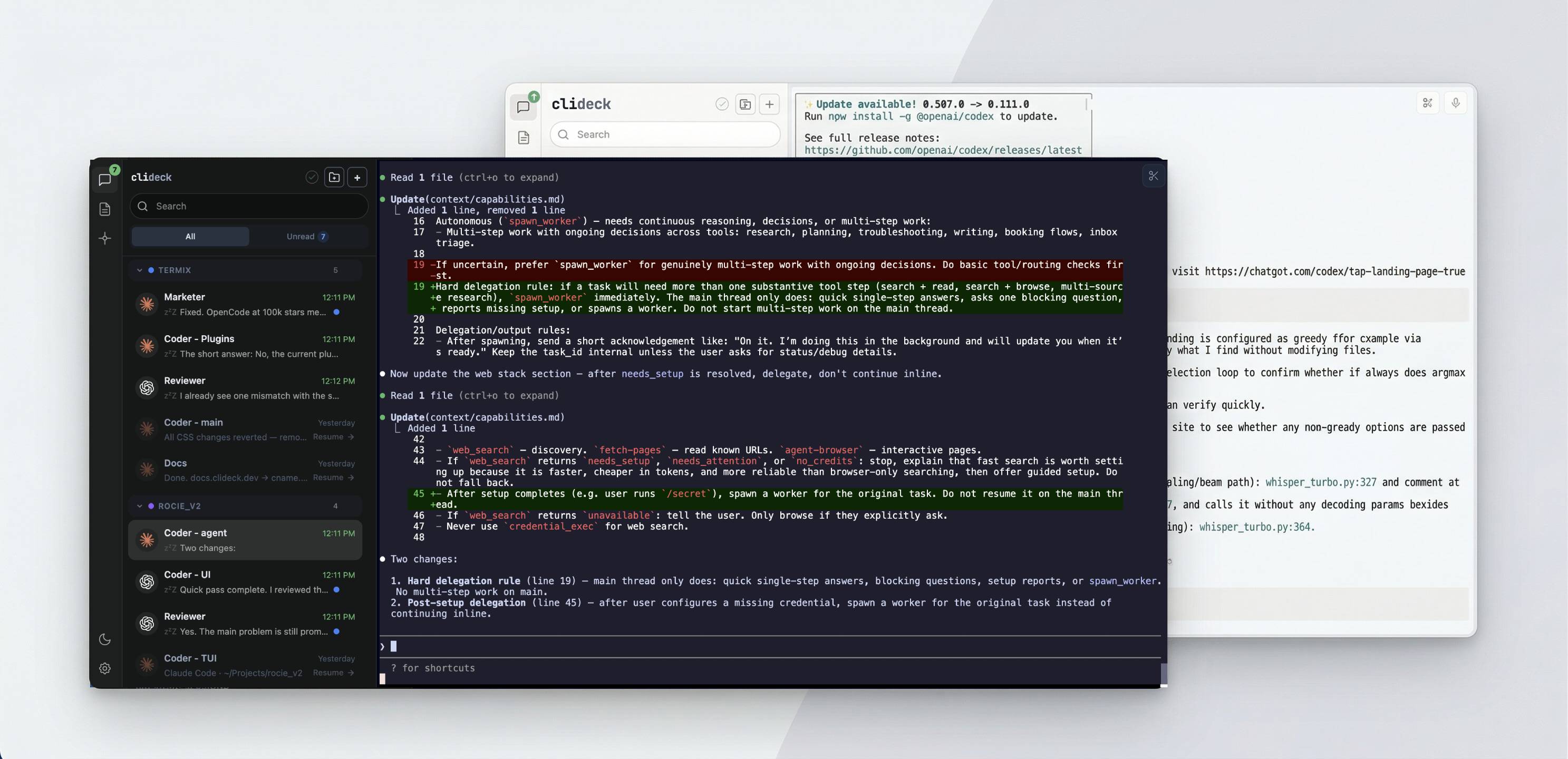
Bring all your CLI AI sessions into one chat-style workspace.
Real terminals, zero interference. Your agents don't know CliDeck is there.
Every agent, one screen
Claude Code, Codex, Gemini CLI, OpenCode, plain shell. All visible at once. Click to switch. Each runs in its own PTY.
Working / idle status
Green dot = agent is working. zzZ = idle. Uses telemetry event timing for Claude/Codex/Gemini, I/O heuristics for everything else. Never reads content.
Session resume
Sessions save on shutdown, restore on restart. Claude Code, Codex, Gemini CLI, and OpenCode all pick up where they left off.
Projects
Group sessions by project, assign a color. Sessions inherit the project's working directory. Drag and drop to reorganize.
Roles
Assign a role to a session at startup. CliDeck tags it so plugins and subsystems like Autopilot can identify each agent by name and responsibilities.
Search and unread filter
Full-text search across all sessions. Matches names and transcript content. Unread tab shows only sessions with new output.
Notifications
Browser notification + optional sound when an agent finishes. Configurable minimum working time (5-60s). Per-session mute.
Prompt library
Save prompts, reuse them with // autocomplete in any terminal. Type two slashes, filter by name or content, press Enter to paste.
15 themes + custom
Dracula, Nord, Catppuccin, Tokyo Night, Gruvbox, and 10 more. Per-session overrides. Drop a JSON file for custom themes.
Plugins
Voice input, clipboard tools, or write your own. Drop a folder in ~/.clideck/plugins/ and it loads on startup. Same API as the built-in plugins.
Autopilot
Autopilot is a lightweight workflow router. It watches the agents in a project, waits for them to finish, then decides which idle agent should receive which output next.
It doesn't do the work. It doesn't rewrite or summarize anything. It reads each agent's role and the recent outputs, then picks the next handoff: a single route(from, to) call. When the work is done or something needs human input, it calls notify_user(reason) instead.
Assign roles to sessions in the same project
A role is a system prompt: what the agent is responsible for, what it shouldn't touch. You need at least two sessions with different roles.
Start Autopilot on the project
A small router model evaluates the current state and picks one action. ~30-50 tokens per decision. Supports Anthropic, OpenAI, Google, Groq, xAI, Mistral, OpenRouter, and Cerebras.
Outputs flow between agents automatically
Programmer finishes → output goes to Reviewer. Reviewer has findings → back to Programmer. Each output gets a hash ID so the same thing doesn't bounce forever.
Forwarding
Output is sent verbatim with a short header showing source, target, and team context
Loop protection
Tracks output IDs and blocks repeat routing when no new work was produced
Domain-agnostic
Same routing works for code, docs, marketing, research. Any team you define through roles
Ask another session
From inside any session, one agent can reach another — to ask a question or hand off a task — and get the response back as command output. No copy-pasting between terminals, no you in the middle.
The message goes into the target's real terminal. CliDeck waits for that agent to finish the work, then returns its latest response to the caller. Where Autopilot routes work automatically, ask is the explicit version: an agent that knows exactly who it needs — a coder handing changes to a reviewer, a docs writer asking the programmer — calls them by name. The target is another agent thinking and using tools, so an ask waits rather than returns instantly.
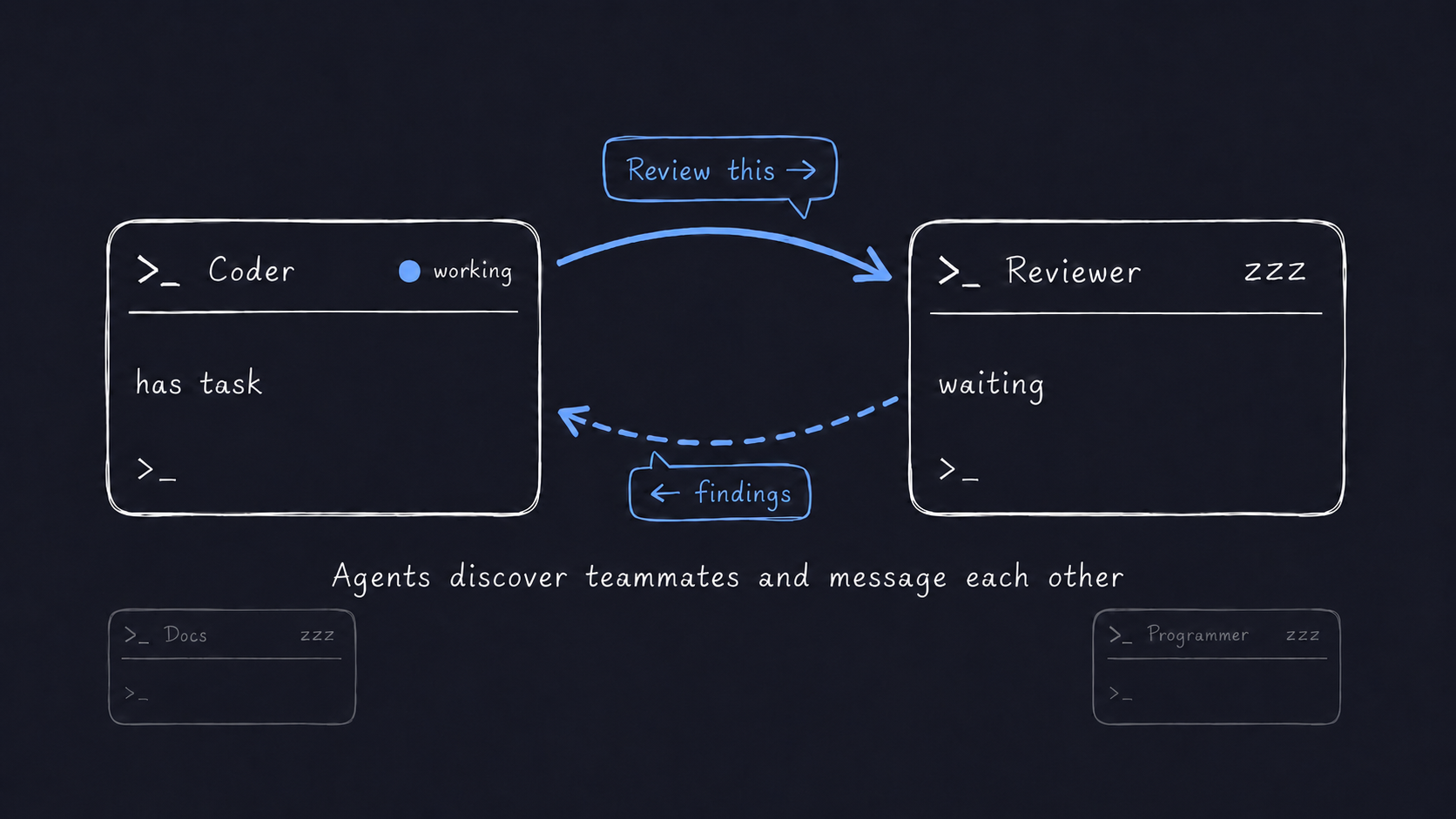
Discovery
clideck agents lists who's available before you ask, in-project or across all projects
Idle-only
Only sends to sessions that aren't working, so an ask never interrupts an agent mid-task
Cross-project
@project/session reaches a specialist in another project, not just the current one
Mobile Remote
Check on your agents from your phone. See who's working, who's idle, send messages, answer questions. All through the browser, no app to install.
Scan a QR code from CliDeck to connect. Your phone talks to your desktop through a relay, but the relay can't read anything. Session content is end-to-end encrypted with AES-256-GCM. The desktop locks automatically while your phone is connected.
From your phone
View all sessions and status, send prompts, tap to answer agent questions, resume saved sessions, close sessions
Security
ECDH P-256 key exchange, AES-256-GCM encryption. Relay forwards encrypted payloads and cannot decrypt them. Nothing stored.
Supported agents
Zero config for Claude Code. One-click setup for the rest. Status detection uses lightweight telemetry signals agents already emit. CliDeck never reads your prompts or code.
Claude Code
Zero config
Codex
One-click
Gemini CLI
One-click
OpenCode
One-click
Any CLI
Custom agent
Runs on localhost. Nothing leaves your machine.
No cloud, no accounts, no analytics. Working/idle detection is based on event timing, not content. CliDeck receives when telemetry events happen, not what's in them. Your prompts, code, and agent responses stay local.